
Microsoft Dynamics 365
For Non-Profits
Microsoft for Nonprofits is a global initiative under Microsoft Elevate that empowers nonprofit and social impact organizations with affordable, secure, and scalable technology. The program bridges the digital divide by providing cloud services, productivity tools, and AI capabilities to help mission-driven organizations operate more efficiently and scale their impact.
Advance your mission with a Microsoft Solutions Partner
Microsoft is committed to providing relevant, affordable, and innovative cloud and AI solutions to help nonprofits tackle the world’s biggest challenges. To ensure affordable access to technology, Microsoft provides grants and discounts for Microsoft cloud solutions including Azure, Dynamics 365, and Microsoft 365 to nonprofits around the globe, along with helping nonprofit professionals with digital and AI skills to accelerate mission impact.

Fundraising & Donor Management
Build lasting donor relationships. Maximize every fundraising opportunity. Automate stewardship at scale.

Program & Service Delivery
Complete visibility from participant intake to final outcome, giving teams, leadership, and funders a shared source of truth on every program you run.

Volunteer & Stakeholder Engagement
Empower your team to effortlessly track volunteer skills, automate scheduling, and use smart scoring to recognize top supporters. Simultaneously, deepen community impact through robust communication tracking, seamless event management, and structured partner collaboration.

Grants & Sponsorships Management
Full lifecycle grant management- from opportunity identification through award, delivery, compliance, and close-out. Never miss a deadline or a deliverable again.
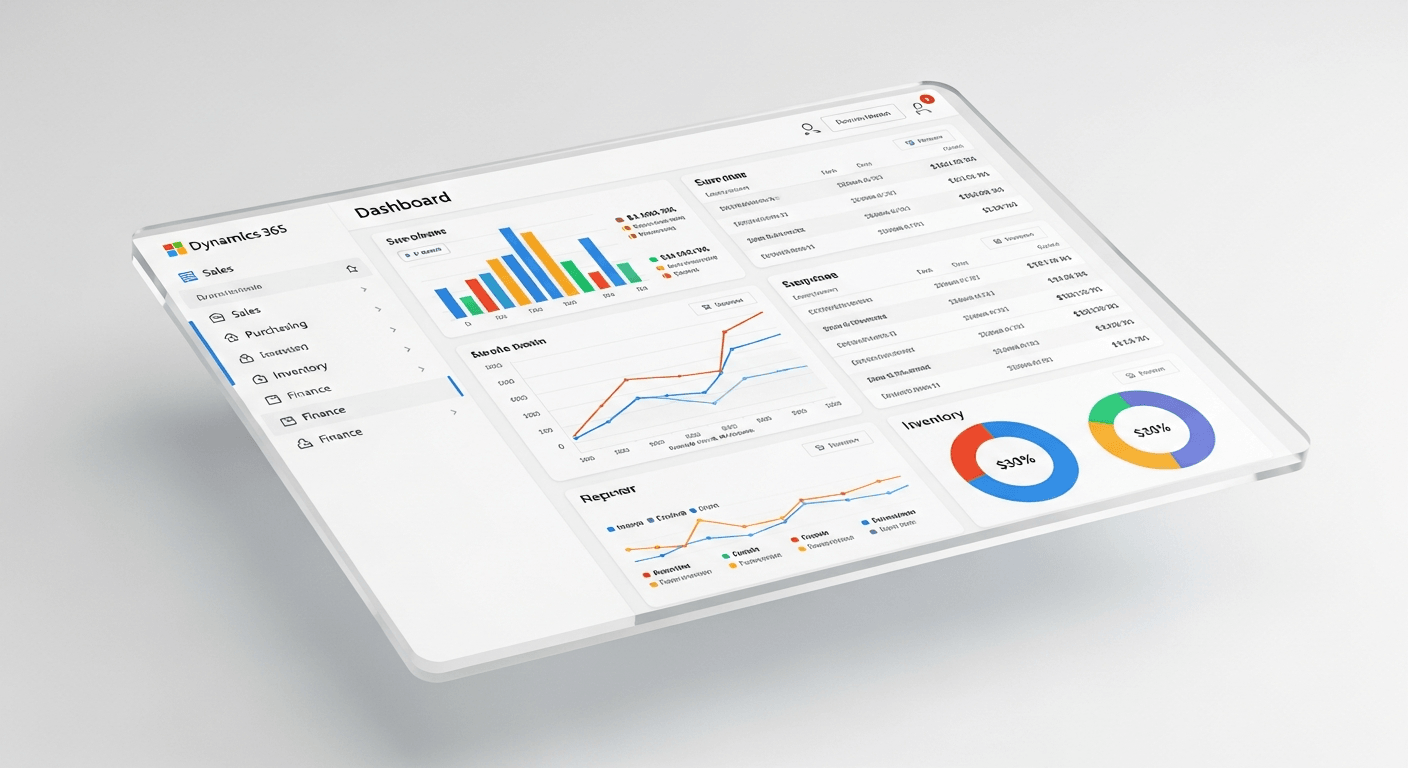
Impact Reporting & AI Analytics
Real-time dashboards, automated reporting pipelines, and Power BI integration transform operational data into decision-ready insights for staff, leadership, and funders alike.
Overview of Microsoft Copilot for Nonprofits
Nonprofits today face the constant challenge of doing more with less—balancing tight budgets, lean teams, and complex community needs. Microsoft 365 Copilot acts as an intelligent AI assistant built directly into the everyday tools your team already uses, from Outlook and Teams to Word and Excel. By automating routine administrative tasks, summarizing lengthy document history, and accelerating fundraising or grant proposal drafts, Copilot eliminates operational bottlenecks. This secure, enterprise-grade AI empowers your staff and volunteers to reclaim valuable hours each week, allowing them to shift away from mundane data entry and focus their energy on strategy, innovation, and driving meaningful social impact.

Streamline Grant & Proposal Writing
Accelerate the fundraising lifecycle by using Copilot in Word to draft compelling grant applications, donor proposals, and case statements. By analyzing past successful proposals and internal data, it helps your team build structured, persuasive drafts in a fraction of the time, allowing you to secure vital funding faster.
Automate Donor & Constituent Communications
Keep your supporters engaged with personalized outreach. Use Copilot in Outlook and Word to quickly draft tailored thank-you notes, customized donor updates, newsletter copy, and campaign emails based on previous interactions, ensuring your community feels valued without draining staff hours.
Simplify Impact Reporting & Data Analytics
Transform complex program data into clear, actionable insights. With Copilot in Excel, non-technical team members can use natural language prompts to analyze volunteer hours, donor retention rates, and budget allocations, instantly generating professional charts and trends to show your impact to board members and stakeholders.
Launch Powerful Awareness Campaigns on a Lean Budget
Launch marketing and awareness campaigns more efficiently. Copilot can generate creative social media calendars, blog post outlines, and press releases in Word, or seamlessly transform a text-based project brief into a visually stunning, presentation-ready PowerPoint deck for your next campaign rollout.
Enhance Meeting Productivity & Action Tracking
Ensure no critical decision falls through the cracks and keep lean teams perfectly aligned. Copilot in Teams acts as an AI secretary, providing real-time summaries, capturing key discussion points, and extracting clear action items so your team can focus on the conversation rather than taking notes.
Scale Your On-the-Ground Impact with Swift Volunteer Onboarding
Mobilize community support rapidly when it matters most. Copilot helps you quickly draft clear volunteer role descriptions, structured training guides, and onboarding checklists, allowing you to seamlessly integrate new volunteers into your programs with minimal administrative friction.
Strengthen Compliance with Effortless Policy Drafting
Protect your organization from legal risks and maintain operational excellence. Use Copilot to instantly draft or update internal HR policies, volunteer handbooks, and standard operating procedures (SOPs) by pulling from your existing institutional knowledge and regulatory guidelines.
Eliminate Information Silos and Save Search Time
Save your staff hours of frustrating search time every week. Operating as a secure internal knowledge assistant, Copilot allows team members to instantly query emails, chats, and shared files to retrieve historical context, past campaign details, or specific donor background info in seconds.
Expand Your Reach with Instant Content Localization
Serve diverse local communities and international donors more inclusively. Copilot instantly translates field guides, community surveys, educational resources, and donor updates into multiple languages while preserving the original context, respect, and professional tone.
Protect Sensitive Beneficiary and Donor Data
Maintain absolute trust with your community and comply with data privacy regulations. Built on Microsoft’s enterprise-grade security framework, Copilot ensures that sensitive donor records and beneficiary information never leave your secure environment and are never used to train public AI models.
FAQs
Explore essential insights into Dynamics 365 Human Resources and Payroll to understand how this integrated ecosystem transforms your workforce management.
What is Microsoft Dynamics 365 for Nonprofits?
Microsoft Dynamics 365 for Nonprofits is a tailored suite of cloud-based business applications designed to help nonprofit organizations streamline operations, manage donor relationships, track volunteer networks, and manage finances. Built on a specialized “Nonprofit Common Data Model,” it breaks down organizational silos by connecting your fundraising, program delivery, and financial teams in one secure environment.
How does Dynamics 365 specifically benefit nonprofit organizations?
Unlike generic CRMs, Dynamics 365 for Nonprofits is optimized for the social impact sector. It helps your organization:
Unify Donor Profiles: Build 360-degree views of supporters to optimize fundraising campaigns.
Streamline Operations: Manage volunteers, track project milestones, and automate communication.
Integrate Finances natively: Connect front-office impact or donor management directly with back-office accounting like Dynamics 365 Business Central.
Scale with AI: Seamlessly leverage Microsoft Copilot to automate routine administration, leaving more time for your mission.
Who is eligible for Microsoft Nonprofit grants and discounted licensing?
To qualify for Microsoft’s specialized pricing and grants, organizations must hold recognized, legal charitable or nonprofit status in their respective country (e.g., registered public benefit organizations or charities), operate with a mission to benefit the broader community, and align with Microsoft’s anti-discrimination policies.
How secure is our sensitive donor and beneficiary data in Dynamics 365?
Security is built into the very core of the platform. Dynamics 365 operates on Microsoft Azure’s enterprise-grade security framework, ensuring strict data privacy, role-based access controls, and compliance with local and international regulations. Your proprietary donor databases and sensitive community records remain fully protected within your secure tenant environment and are never shared publicly.
We already use Microsoft 365 (Word, Outlook, Teams). Do we need to migrate?
No migration is required! One of the biggest advantages of Dynamics 365 is its native integration with the tools you already use. Your team can track constituent emails directly from Outlook, access volunteer schedules right inside Teams, and leverage Microsoft Copilot across all these platforms simultaneously without switching windows.
What is the best way to get started with implementation?
Because Microsoft Cloud solutions offer extensive customizable features, partner-assisted deployment is highly recommended. As a Microsoft partner, we can assist your organization with checking your official Microsoft eligibility, selecting the optimal mix of granted and discounted licenses, and configuring the system to match your exact workflow requirements.
Ready to Transform Your Organization's Impact?
Maximize your team’s potential with exclusive Microsoft Dynamics 365 and Copilot offers tailored for non-profits.
Click below to share your details via our curated Microsoft Form, and our team of experts will reach out to help you claim your specialized non-profit systems.